Difference between revisions of "Manage email notifications"
Jump to navigation
Jump to search
| Line 1: | Line 1: | ||
| − | You can control which email notifications you receive from Imaginet, in your [[https://my.imaginet.co.za/ | + | [[file:Mydotnotices.png|right]] |
| + | |||
| + | You can control which email notifications you receive from Imaginet, in your [[Control Panel]]. | ||
| + | |||
| + | Log in to [https://my.imaginet.co.za/ my.imaginet.co.za] and click on "Notices" in the menu on the left. | ||
| + | |||
| + | Change the selection in the blue box on the right | ||
Revision as of 16:59, 8 February 2023

You can control which email notifications you receive from Imaginet, in your Control Panel.
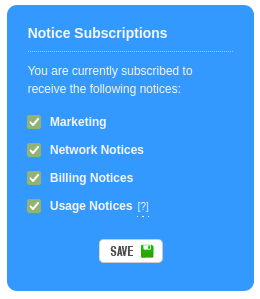
Log in to my.imaginet.co.za and click on "Notices" in the menu on the left.
Change the selection in the blue box on the right
