Difference between revisions of "Monitor your Per GB ADSL usage"
Jump to navigation
Jump to search
| Line 1: | Line 1: | ||
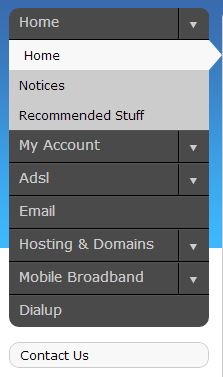
Log into http://my.imaginet.co.za/ and click on ADSL in the menu on the left (Fig. 1). [[file:Mydotmenu.JPG|frame|right|Fig. 1]] | Log into http://my.imaginet.co.za/ and click on ADSL in the menu on the left (Fig. 1). [[file:Mydotmenu.JPG|frame|right|Fig. 1]] | ||
<br /> | <br /> | ||
| − | Your ADSL packages will be listed by username, along with their usage for the current month. Usage is shown as a percentage of the base service used | + | Your ADSL packages will be listed by username, along with their usage for the current month. Usage is shown as a percentage of the base service used. <br /> |
| + | [[file:Adslpackage.JPG]] | ||
| + | <br /> | ||
<br /> | <br /> | ||
Revision as of 11:57, 9 November 2012
Log into http://my.imaginet.co.za/ and click on ADSL in the menu on the left (Fig. 1).

Fig. 1
Your ADSL packages will be listed by username, along with their usage for the current month. Usage is shown as a percentage of the base service used.

