Creating a new email address
Jump to navigation
Jump to search
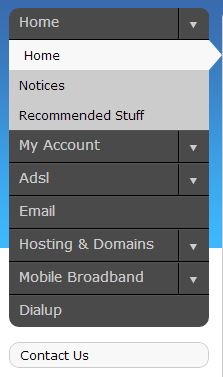
Log into MyDot and click on Email in the menu on the left (Fig. 1).

Fig. 1
- You will be presented with a list of domains.
- Click the Add button at the top right.
- Select the domain @ which you would like to create a new email address.
- Enter the username - the part of the address before the @.
- Click Accept.
- You will need to enter your chosen password twice. Ensure that it's the same both times.
- Click Add.

And that's it! You have created a new email address.
To set up your new address in your mail client, see Email#Mail_client_configuration
If you experience any trouble, please give us a call on 086-111-1101 for assistance.
