Plesk control panel is very similar to another well-known hosting control panel, CPanel. Plesk offers all the features that CPanel does, and more.
For detailed technical infromation about Plesk's features, see the The official Plesk Documentation.
Access your Plesk control panel
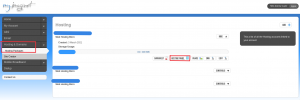
find your domain's hosting controls
Log in to MyDot and click on Hosting & Domains in the main menu.
Click on Hosting Packages and then find the domain you want to log in to in your list of hosting packages.
Click CONTROLS under your chosen domain, and then click HOSTING PANEL. You will be redirected to your Plesk control panel.
Plesk features
Websites & Domains
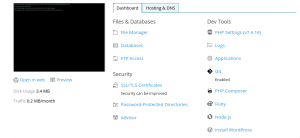
Plesk Hosting & Domains page
Access features and setting for the sites on your domain.
Settings
See the screenshot to the right for the location of the Settings button.
Here you can:
- Activate or deactivate your website
- Select the SSL certificate to use
- Activate or deactivate SSI support
- Activate or deactivate support for:
- Activate and select log interpreter for detailed web stats.
Applications
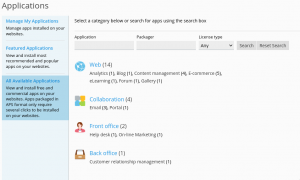
All available applications
Plesk supports automated installation of a number of applications, including Content Management Systems, including:
- WordPress
- Joomla
- Drupal
- Moodle
- bbclone
- Coppermine
- gallery
- Magento
- osCommerce
- Prestashop
- concerete5
- phpBB
- typo3
- zenCart
Files
Databases
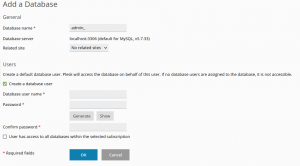
Adding a database via Plesk
Statistics
Account
WordPress


